 language
 english


How to Do a PCBA Functional Test?
PCBA functional test is the most direct way to verify whether an assembled board truly works as intended. This guide explains concepts, methods, tools, software, fixtures, and future trends to help you build reliable functional testing into PCBA manufacturing and development.

What is a PCBA Functional Test?
A PCBA functional test checks whether an assembled board performs its intended operations under real operating conditions. Instead of focusing on component presence or solder quality, it verifies actual behavior after power-up. Typical checks include voltage regulation, signal response, interface communication, and interaction between hardware and embedded logic.
More importantly, this test simulates how the board will be used in practice. Power, inputs, and loads are applied in a controlled way, then outputs are measured and compared against defined limits. Through this process, functional testing confirms not only that the board is built correctly, but that it works correctly and consistently in its target application.
Why Functional Test is Important for PCBA Manufacturing?
Advantages of Functional Test for PCBA Manufacturing
- Intercept Manufacturing Defects, Reduce Quality Risks: Functional testing simulates real-world operation to catch assembly errors like cold solder joints, misplaced/missing components, or faulty parts, preventing defective PCBAs from reaching customers and avoiding costly recalls.
- Guarantee Product Functionality & Reliability: It verifies critical outputs (power, communication, control signals) against design specs, ensuring the PCBA performs correctly. This reduces field failures and builds customer trust in the end product’s lifespan.
- Optimize Production Costs & Reduce Waste: Early defect detection lowers rework and scrap rates. Automated testing solutions streamline high-volume production, saving significant labor and material costs.
- Enable Hardware-Software Co-Validation: Testing confirms correct interaction between embedded software and hardware (e.g., control logic), preventing costly integration failures and project delays later in development.
- Ensure Compliance with Standards: Functional testing verifies adherence to industry safety and performance regulations (e.g., electrical safety), mitigating legal risks and facilitating customer audits.
- Accelerate Time-to-Market & Boost Competitiveness: Efficient testing processes shorten the development-to-production cycle, enabling faster product launches and providing a critical market advantage.
What Are Testing Methods for PCBA Functional Test?
Testing Methods for PCBA Functional Test:
- Connector-Based Functional Test: This is the most common approach in volume manufacturing. The board is tested through its normal connectors, just as it will be used in the final product. Power, commands, and signals are applied externally, while outputs are measured and evaluated. Because it closely matches real usage, this method provides high confidence and is easy to scale once the interface is defined.
- In-Circuit Assisted Functional Test: This method combines functional checks with access to dedicated test points. While the board is powered and running, specific nodes are measured to confirm correct behavior of key circuits. It is especially useful when connectors are limited or when deeper visibility is required during early production stages.
- Boundary-Scan Supported Functional Test: When physical access is restricted, boundary-scan can assist functional testing. It allows control and observation of device pins while functional routines run. This method improves coverage on dense layouts and helps verify digital paths without excessive probing.
- Embedded or Firmware-Driven Functional Test: Some boards include built-in test routines. External equipment triggers these routines and reads back results through a communication interface. This approach simplifies hardware requirements and supports automated testing, particularly for complex logic or communication-heavy products.
- Manual Functional Test: For prototypes or low-volume builds, manual functional testing may be sufficient. Operators apply power, observe indicators, and verify responses using basic instruments. Although flexible, this method depends heavily on operator skill and is less suitable for repeatable production.
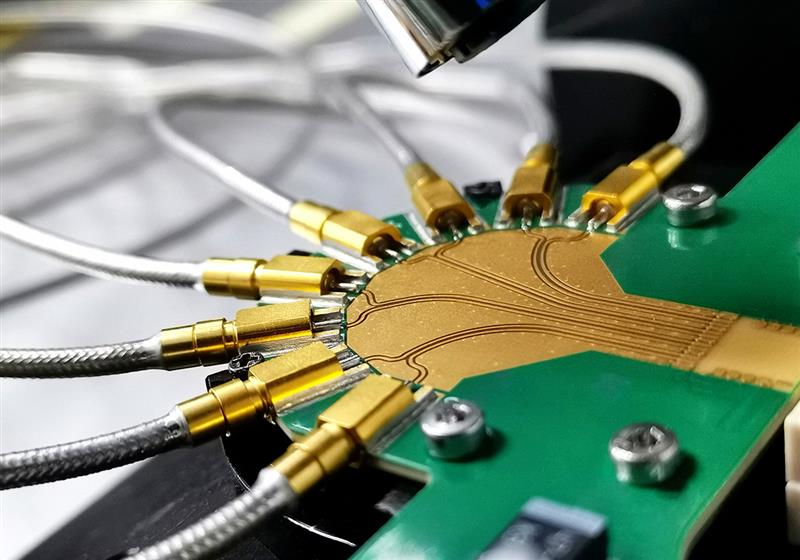
What Tester are Used for PCBA Functional Testing?
Below are Tester used for PCBA Functional Testing:
- Programmable Power Supply: The programmable power supply is the foundation of functional testing. It applies controlled voltage to the board while monitoring current in real time. Abnormal current draw often reveals short circuits, power faults, or startup issues. Soft-start and protection features are especially important during early testing.
- Signal Generator: Signal generators provide controlled input signals to the board. These may include digital pulses, analog waveforms, or clock signals. By adjusting frequency and amplitude, the tester checks how the board responds under different operating conditions.
- Measurement Instruments: Measurement tools such as multimeters, data acquisition modules, or oscilloscopes are used to read voltage, current, timing, and signal quality. These instruments confirm whether outputs stay within defined limits. Stable and repeatable measurements are critical for reliable pass or fail decisions.
- Communication Interface Tester: Many boards rely on communication protocols. Testers for USB, UART, SPI, I²C, CAN, or Ethernet send commands and receive responses during testing. Successful communication confirms both hardware connections and logic behavior.
- Load and Output Simulation Modules: Some functions require realistic loads. Electronic loads or relay-based modules simulate motors, sensors, or external devices. This ensures the board behaves correctly under real operating stress rather than idle conditions.
- Integrated PCBA Functional Tester: In production, these instruments are often combined into a single PCBA functional tester. The system is controlled by test software, reducing wiring complexity and operator variation. This setup improves consistency and supports higher throughput.
How to Choose PCBA Functional Test Software?
Selection Guide to PCBA Functional Test Software:
1. Prioritize User-Friendly Interfaces
- Choose software with intuitive, drag-and-drop interfaces (e.g., FlexTest’s platform) to enable non-specialists to build test sequences without technical expertise. This reduces miscommunication and speeds up prototype validation.
2. Ensure Seamless Compatibility
- Verify integration with popular design tools like Altium and KiCad to automate schematic data transfer and minimize manual errors. GlobalTest’s cloud-based platform exemplifies this by standardizing testing criteria across global labs for consistent quality control.
3. Leverage Advanced Diagnostic Capabilities
- Optimize for solutions that combine electrical testing (ICT, Flying Probe) with functional testing (FCT) to balance coverage and cost. LabVIEW-based systems, for instance, enable real-time signal analysis via oscilloscopes, ensuring precise voltage/current validation and defect detection.
4. Embrace Cloud-Based Data Management
- Select software with cloud access to real-time test data for cross-factory comparisons and trend analysis. This enhances supply chain visibility and identifies regional defects (e.g., solder bridging patterns).
5. Prioritize Regulatory Compliance
- Ensure software supports industry-specific certifications (ISO 13485 for medical, ISO 17025 for testing labs) and generates audit-ready documentation, including test reports and traceability logs. TechVerify’s solutions cater to medical, IoT, and energy sectors with comprehensive compliance features.
6. Evaluate Support and Customization
- Seek providers offering custom script writing for niche requirements and responsive technical support. FlexTest’s team, for example, provides last-minute test plan adjustments without extra charges, ensuring timely project completion.
7. Incorporate Non-Destructive Inspection
- Utilize tools like Automated X-Ray Inspection (AXI) to detect hidden defects in BGAs or vias. This complements visual/AOI methods for holistic quality control, critical for high-density or automotive PCBAs.
8. Balance Cost and Scalability
- Consider turnkey systems with integrated instrumentation (e.g., FixturFab’s solutions) for immediate production readiness. Modern frameworks streamline test execution and data analysis, optimizing long-term ROI through AI-powered analytics platforms.
How to Do a PCBA Functional Testing?
PCBA functional testing follows a clear and repeatable flow. When each step is planned well, the test becomes stable, easy to operate, and reliable over time. Below is a practical approach that works for both early builds and volume production.
Step 1: Define Functional Goals
Begin by listing what the board must do. Power levels, start-up behavior, signal response, and communication functions should be clearly described. Simple and measurable goals make later testing faster and more accurate.
Step 2: Prepare the Test Interface
Next, decide how the board connects to the tester. This may be through standard connectors, cables, or a dedicated fixture. The connection must be firm and repeatable. Poor contact often causes unstable results.
Step 3: Apply Power in a Controlled Way
Power should be applied gradually. Voltage and current are monitored from the first moment. If values exceed limits, the test stops immediately. This step protects both the board and the test equipment.
Step 4: Run Functional Test Sequences
After power is stable, test routines begin. Inputs are sent, commands are issued, and outputs are measured. Each function is checked one by one. Delays are added where timing matters, ensuring accurate results.
Step 5: Measure and Compare Results
Measured values are compared with predefined limits. A clear pass or fail decision is made for each item. Using fixed limits keeps the judgment consistent across different batches.
Step 6: Record Test Data
All results are logged automatically. This includes values, time, and test status. Stored data helps track trends and supports future analysis when issues appear.
Step 7: Review and Improve
Finally, test results are reviewed regularly. Repeated failures often point to process or design improvements. Over time, this feedback makes functional testing faster and more reliable.
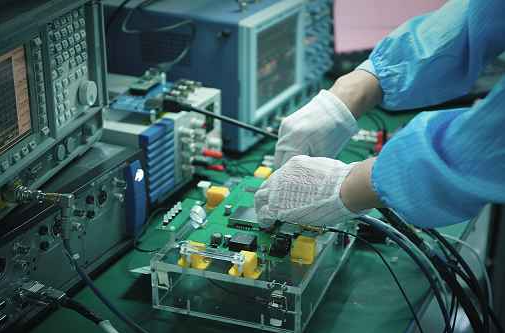
How to Make a PCBA Function Test Table?
Steps to Make a PCBA Function Test Table:
- Define Test Objectives: Begin by identifying the critical parameters of the assembly. Focus on electrical functionality (e.g., voltage levels, signal timing), mechanical integrity (e.g., connector fit, solder joint reliability), and environmental resilience (e.g., thermal cycling, humidity exposure). Specify acceptable tolerances for each parameter to establish pass/fail criteria.
- Select Test Points & Methods: Map test points directly to circuit nodes using PCB layout data. For digital circuits, prioritize boundary-scan testing (JTAG) for in-system programming and fault detection. For analog components, use oscilloscopes or multimeters to verify output waveforms and voltage drops. Implement automated optical inspection (AOI) for visual defect detection in soldering or component placement.
- Choose Compatible Equipment: Match test equipment to the complexity of the board. For low-volume prototypes, manual tools like handheld multimeters and thermal cameras suffice. For high-volume production, invest in automated test handlers with fixture compatibility for flying probe or in-circuit testing (ICT). Ensure equipment supports standard file formats (e.g., ODB++ for test data exchange).
- Design Test Sequences: Organize tests into logical sequences to minimize setup time and maximize efficiency. Start with power-on self-tests (POST) for basic functionality, followed by signal integrity checks using vectorless analysis for hidden nodes. For complex assemblies, integrate functional testing with embedded software (e.g., firmware verification via UART/SPI interfaces).
- Document Test Procedures: Create detailed, step-by-step instructions for each test. Include photographs or diagrams of test point locations, equipment setup diagrams, and expected measurement readings. Use standardized templates to ensure consistency across test teams. Include sections for failure analysis—such as short-circuit detection via thermal imaging or X-ray inspection for hidden solder defects.
- Implement Data Logging & Analysis: Use digital tools to log test results in real time. Solutions like LabVIEW or Python scripts can automate data collection and generate trend charts for quality control. Store results in cloud-based systems for traceability and collaboration. Flag deviations from baseline data for root-cause analysis.
- Validate & Iterate: Pilot the test table on a small batch of assemblies to validate effectiveness. Collect feedback from operators to refine procedures. Update the table to include lessons learned from failure modes (e.g., adding new test points for recurrent issues like ESD damage). Regularly review test coverage against evolving design requirements.
- Ensure Safety & Compliance: Incorporate safety protocols for high-voltage testing (e.g., isolation barriers, emergency shutdown procedures). Align with industry standards like IPC-A-610 for soldering quality or ISO 13849 for safety-critical systems. Include compliance checks for environmental regulations (e.g., RoHS-compliant materials).
Common PCBA Functional Testing Problems & Solutions
Intermittent Test Failures: A board may pass one time and fail the next without any change. In most cases, the cause is unstable contact between the board and the test interface.
Solution: Improve fixture alignment and contact pressure. Use high-quality probes or connectors and check them regularly for wear. Stable mechanical contact greatly improves repeatability.
False Fail Results: Sometimes a board fails the test even though it works normally in use. This often happens when test limits are too strict or timing is not well defined.
Solution: Review measurement tolerances and timing windows. Functional limits should reflect real operating conditions, not ideal values. Adding small delays where needed can also stabilize results.
Long Test Time: Excessive test duration slows production and increases cost. This usually occurs when test steps are repeated unnecessarily or executed in an inefficient order.
Solution: Optimize the test sequence. Group related checks together and remove redundant steps. Parallel measurements, where possible, can also shorten total test time.
Communication Errors: Boards that rely on digital communication may show unstable responses or timeouts during testing. Poor grounding or signal noise is often the cause.
Solution: Improve grounding, shielding, and cable routing. Ensure communication settings match actual operating conditions. Stable physical connections are just as important as correct software settings.
Power-Related Test Issues: Unexpected resets or inconsistent startup behavior often appear during functional testing. These issues are commonly linked to power ramp or load conditions.
Solution: Control power ramp speed and monitor current closely. Use realistic loads during testing to match real usage. This helps reveal true behavior and avoids misleading results.
Operator-Dependent Variation: When results vary between operators, the testing process may rely too much on manual actions or judgment.
Solution: Increase automation where possible. Clear instructions, fixed procedures, and software-driven decisions reduce human variation and improve consistency.
Future Trends of Function Test for PCBA Development
- AI-Driven Test Automation: Integrate machine learning algorithms for real-time defect detection and adaptive test sequencing. AI-powered systems like Keysight’s PathWave optimize test coverage by analyzing design data to prioritize critical nodes, reducing manual intervention by 40-60% while enhancing fault isolation accuracy.
- Non-Contact Inspection Technologies: Adopt terahertz imaging and millimeter-wave scanning for non-destructive internal defect analysis. These methods detect sub-surface connectivity issues and electromagnetic anomalies without physical contact, crucial for high-density boards (e.g., 0.3mm pitch BGAs) where traditional probes fail.
- Sustainable Test Practices: Implement PFAS-free soldering and recyclable substrate testing protocols aligned with EU Carbon Border Adjustment Mechanism (CBAM). Sustainability scorecards quantify environmental impact, enabling data-driven decisions for eco-friendly material selection (e.g., bio-based laminates) and energy-efficient test processes.
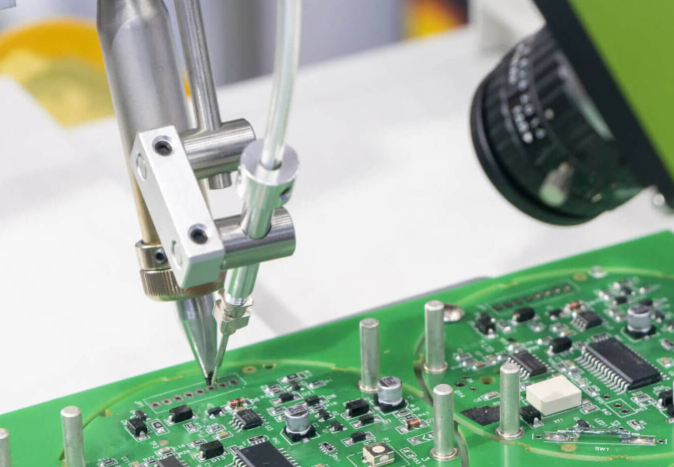
- Modular & Flexible Test Platforms: Deploy robotic arms with micro-probes and vision-guided systems for rapid reconfiguration. Modular platforms like Digitaltest GmbH’s Flying Probe adapt to diverse PCBA designs, supporting small-batch production and R&D iterations without costly fixture redesign.
- Data-Driven Predictive Maintenance: Leverage IoT-enabled test equipment for real-time monitoring of test station health and performance trends. Predictive analytics flag equipment degradation (e.g., probe wear, thermal drift) before failures occur, minimizing downtime and ensuring consistent test accuracy.
- High-Density Testing Solutions: Address miniaturization challenges with boundary scan (JTAG) and built-in self-test (BIST) frameworks. Chip-specific test interfaces from manufacturers like Texas Instruments enable deeper functional validation in SoC-integrated PCBAs, compensating for reduced external test points.
- Supply Chain Resilience Integration: Use AI-powered procurement tools to predict component shortages (e.g., PMICs, AI accelerators) and automate “Just-in-Case” buffering. Real-time supply chain dashboards monitor geopolitical risks and regionalization trends, ensuring uninterrupted test material availability.
- Industry 4.0 Test Ecosystems: Synchronize test systems with overall production lines via digital twins and cloud-based collaboration. Platforms like Siemens’ Teamcenter enable end-to-end traceability, from design validation to final test, enhancing quality control and regulatory compliance (e.g., ISO 13485 for medical devices).
Welcome to contact us if you have any request for PCB assembly: sales@bestpcb.vn.